Linux
Configuratie
Leerdoelen
- Het wijzigen van settings die gedaan zijn bij de installatie
De /etc/ directorie
- Alle traditionele configuratie staat in
/etc/ - De bestanden zijn platte tekstbestanden
- Kunnen gewijzigd worden met een editor
- Kunnen doorzocht en bekeken worden met traditionele texttools
/etc/default
- Een Debian specifieke directory voor wat basis instellingen van het systeem
- De bestanden zijn meestal voorzien van duidelijke informatie
- We gebruiken de Debian-tools om wijzigingen aan te brengen
Keyboard
/etc/default/keyboard- Bestand met shell-variabelen
- Belangrijkste waarden:
XKBMODEL="pc105"
XKBLAYOUT="us"
- Wijzigen van keyboard model en layout:
dpkg-reconfigure keyboard-configuration
Taal
/etc/default/locale- Belangrijkste waarden:
# File generated by update-locale
- Betekent geen wijzingen in deze file aanbrengen...
sudo dpkg-reconfigure locales sudo dpkg-reconfigure console-setup- Meer: https://www.debian.org/doc/manuals/debian-reference/ch08.en.html
Datum en tijd
- De computer gebruikt zijn interne clock voor de tijd
- Wereldwijd worden atoomklokken gebruikt
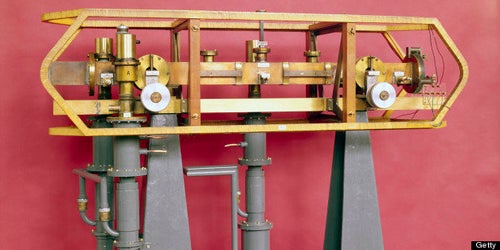
- Over de wereld zijn er verschillende tijdzones
- Sommige landen hebben een zomer- of wintertijd.
timedatectl
sudo timedatectl- Geeft een overzicht van de huidige settings
               Local time: Tue 2026-05-12 09:18:05 CEST
           Universal time: Tue 2026-05-12 07:18:05 UTC
                 RTC time: Tue 2026-05-12 07:18:06
                Time zone: Europe/Amsterdam (CEST, +0200)
System clock synchronized: yes
              NTP service: active
          RTC in local TZ: no
Tijdzone
sudo dpkg-reconfigure tzdata- Kies een werelddeel
- Kies een land
- Tijdzone + zomer- en wintertijd worden gezet
NTP
- Network Time Protcol
- Synchroniseert computerklok (RTC) met atoomklok
- De server:
sudo systemctl status systemd-timesyncd - Dit gaat over het Internet, er is dus een verbinding nodig
May 12 08:17:03 L16-1 systemd-timesyncd[514]: Contacted time server 206.71.158.74:123 (2.debian.pool.ntp.org).
May 12 08:17:03 L16-1 systemd-timesyncd[514]: Initial clock synchronization to Tue 2026-05-12 08:17:03.133448 CEST.
date
date- Vraagt de huide datum en tijd op
- Opvragen van alleen de datum:
date +%Y-%m-%d - Als je wilt weten hoe laat het in Los Angeles is:
TZ='America/Los_Angeles' date - Bestudeer de man-page voor nog veel meer mogelijkheden
Hostname
hostname- Geeft de huidige hostname weer
- De hostname staat in
/etc/hostname hostnamectl- Geeft nog veel meer informatie prijs
hostnamectl set-hostname MyName
Domeinnaam
- Een domeinnaam is lastig bij laptops die in steeds verschillende netwerken zitten
- Debian heeft gekozen om een basis FQDN vast te leggen in
/etc/hosts - Bij installatie wordt deze regel ingevuld:
127.0.1.1 FQDN shorthostname
- FQDN wordt vervangen door de complete naam
- shorthostname is de naam uit
/etc/hostname
Voorbeelden
cat /etc/hostnamelaptop01
grep 127.0.1.1 /etc/hosts127.0.1.1 laptop01.novacollege.nl laptop01
Wijzigen van configuraties
dpkg-reconfigurekan je gebruiken om configuraties aan te passen- Verandert settings zoals deze ook bij installatie gevraagd werden
- De rest moet je doen in de configuratie bestanden (met een editor)
Samenvatting
- We hebben gezien we de basis configuratie kunnen aanpassen
- Keyboard settings
- Language en locale settings
- de hostname en FQDN settings
- We hebben geleerd dat alle configuratie gedaan wordt in
/etc